Just two permissions and you're ready. Follow these real screens from the app to enable everything quickly.
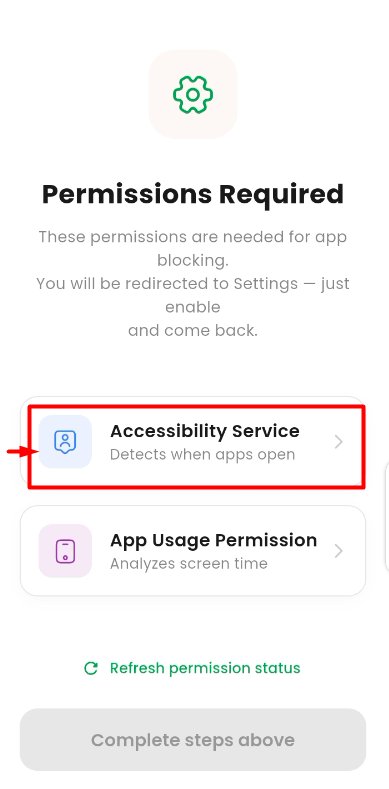
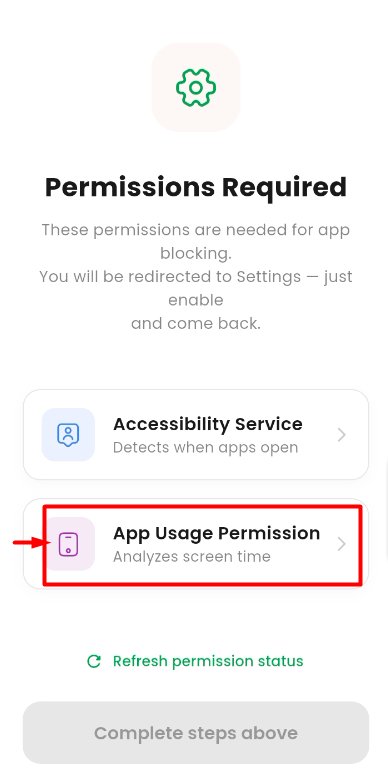
When you open Heemu for the first time, walk through the welcome screens to personalize your experience: gender, intervention mode (Dhikr or Quran), pause duration, and theme. Once done, you'll land on the Permissions Required page shown below. That's where this guide picks up.
This permission lets Heemu detect when you open a distracting app, so it can show you the mindful pause screen.
On the Permissions Required page, you'll see two options. Tap on Accessibility Service, the first card with the user-tag icon. The app will redirect you to your phone's Settings.
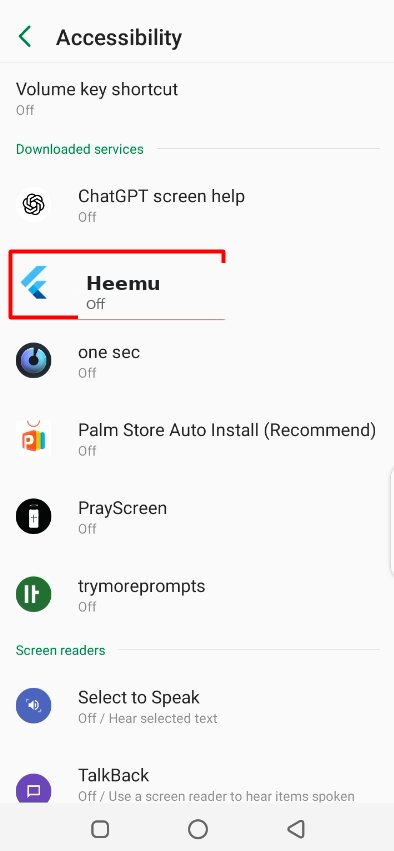
You'll now be in your phone's Accessibility settings. Scroll down to the "Downloaded services" section and find the Heemu icon (the blue Flutter logo). Tap on it.
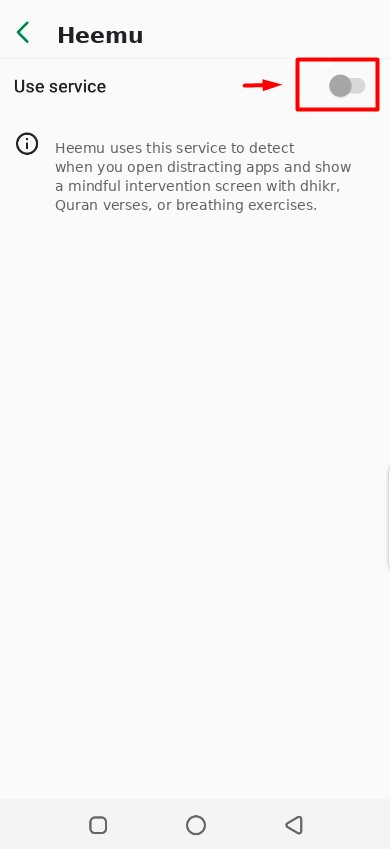
On the Heemu service page, you'll see a single toggle switch at the top labeled "Use service". Tap it to turn the service ON.
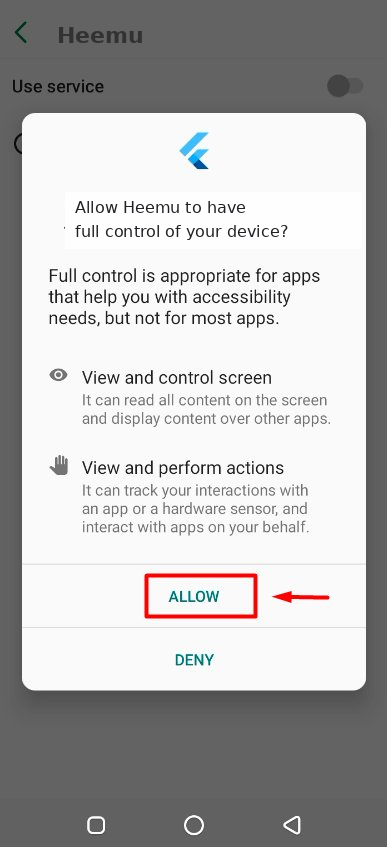
A confirmation dialog will appear asking "Allow Heemu to have full control of your device?". This is Android's standard security check. Tap ALLOW to confirm.
This permission lets Heemu show you accurate screen time statistics and track your saved minutes.
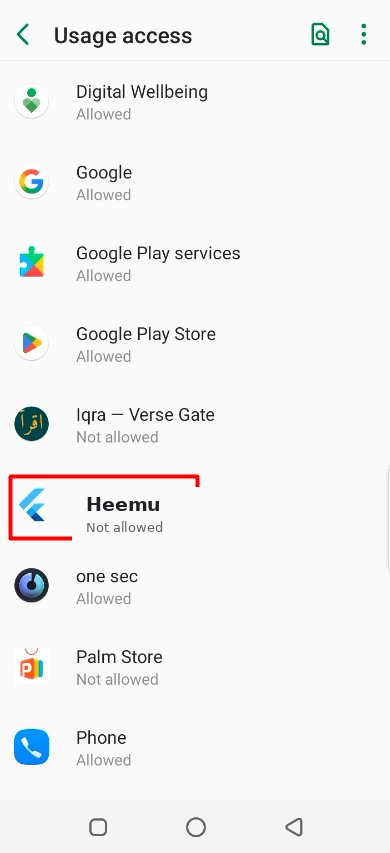
Back on the Permissions Required page, now tap the second card for App Usage Permission. The app will redirect you to your phone's Usage access settings.
You'll see a list of apps under "Usage access". Scroll to find Heemu (with the blue Flutter logo). It will show as "Not allowed". Tap on it.
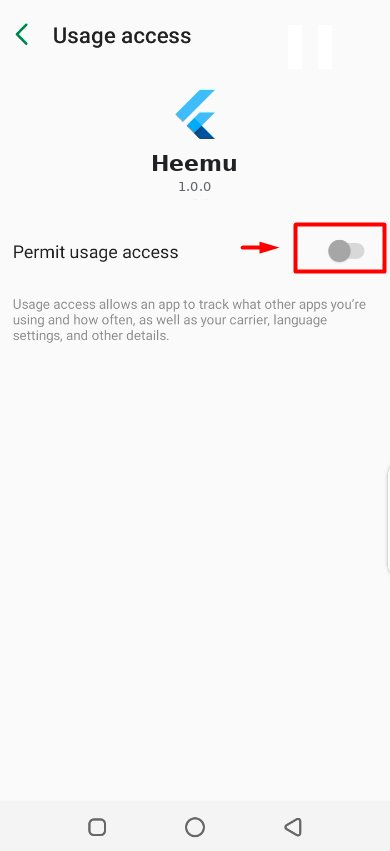
On the Heemu page, tap the toggle at the top labeled "Permit usage access". That's it! No extra dialog this time.
"My Lord, increase me in knowledge." — Ta-Ha 20:114
Your phone is now your companion in worship, not your distraction. May Allah make every saved moment a means of barakah and growth.
Different Android brands name it differently. On Samsung, look for "Installed apps". On Xiaomi/MIUI, look for "Downloaded services". On OnePlus and Vivo, try "Installed services". You can always use the search bar at the top of Settings and type "Heemu" to jump directly.
Some phones (especially Xiaomi, OPPO, Vivo, Realme) aggressively disable accessibility services to save battery. Go to Settings → Battery → Battery optimization, find Heemu, and set it to "Don't optimize". This keeps the service running reliably.
This is Android's standard wording for the Accessibility API. It sounds scary but it's necessary for any app-blocking feature on Android. Heemu only uses this to detect which app is opening (not what's inside it). We never read screen content, messages, keystrokes, or any personal data. Everything stays on your device.
No. Heemu is optimized for minimal battery use. It only activates when an app launches. Most of the time, it uses zero battery. Typical impact is less than 1% per day.
Make sure both toggles are actually turned ON in your phone's Settings, then go back and verify. Sometimes Android requires the toggle to be off-then-on once before it registers. If still stuck, restart the app or your phone.
Email us at support@sapsharks.com. We typically respond within 24 hours, inshaAllah.